

You've just been handed a folder back from your video team, and sitting next to the finished film are two small text files: one ending in .srt, the other in .vtt. Nobody explained which one you actually need, and Google isn't much help either – most articles either assume you're a developer or skip the part that actually matters for getting your video captioned properly.
Here's the plain-English version. Same job, different file, and the difference decides where each one works.
What is an SRT file?
SRT stands for SubRip Subtitle, and it's the oldest, simplest and most widely supported caption format still in daily use. Open one in a text editor and you'll see something like this:
1
00:00:01,000 --> 00:00:04,000
Welcome to Jungle Creative.
A number, a start and end timestamp, and a line of text. That's the entire format. No colours, no fonts, no positioning – just plain text tied to a moment in the video. It's the file almost every platform will accept, from YouTube and Vimeo to Premiere Pro, DaVinci Resolve and most social schedulers.
What is a VTT file?
VTT stands for WebVTT (Web Video Text Tracks), and it's the newer, web-native version of the same idea. It was built specifically for HTML5 video, which is why every modern browser can read a .vtt file natively using a simple <track> tag – no extra plugin required.
A VTT file looks almost identical to an SRT at a glance, but it can do more: basic styling (bold, italics, colour), on-screen positioning so text doesn't cover a face or a logo, and metadata like chapter markers. If SRT is a plain text message, VTT is that same message with a bit of formatting switched on.
SRT vs VTT: the differences that actually matter
- File format: SRT uses commas in its timestamps (00:00:01,000); VTT uses a full stop (00:00:01.000) and opens with a WEBVTT header line. Small detail, but it's why the two aren't interchangeable without a quick conversion.
- Styling: SRT is plain text only. VTT supports basic styling, text positioning and simple CSS-style classes.
- Browser support: VTT is the format the HTML5 <track> element expects natively, so it's the standard choice for video on your own website.
- Platform support: SRT is accepted almost everywhere – YouTube, Vimeo, Facebook, LinkedIn, most editing software – which is why it's still the safest single file to send if you're only sending one.
- Chapters and metadata: VTT can carry chapter markers and cue settings; SRT can't.
In practice, neither format is "better" – they're built for different jobs, and the honest answer to "which one do I need" is usually both.
Which one should you actually use?
A quick reference for the situations marketing and production teams run into most:
- Uploading to YouTube or Vimeo: either works, but SRT is the safer universal choice.
- Embedding video on your own website: use VTT – it's what the HTML5 video player is built to read.
- Sending a cut to a client or agency for review: send both. It costs nothing and removes the guesswork on their end.
- Posting to Instagram, TikTok or LinkedIn: most social platforms auto-generate their own captions on upload, but they're rarely accurate. Uploading your own SRT (where the platform allows it) or burning captions in during editing gets a cleaner result.
- Meeting accessibility requirements: either format satisfies WCAG caption requirements – what matters is that captions exist and are accurate, not which of the two files you hand over.
Why this is worth getting right
Captions aren't just for viewers watching with the sound off, although that's most social video these days. They're also read directly by search engines. A properly captioned and transcribed video gives Google actual text to index against your video content, which is a real, practical SEO advantage most businesses leave on the table. We've covered that side of things in more depth in our guide to video SEO, schema and captions if you want the full picture.
For marketing agency staff briefing in video work on behalf of a client, the practical takeaway is simple: always ask your production partner for both an SRT and a VTT file with every delivered video, not just the final render. It's a five-second request that saves a round-trip later when the client's web developer asks for one format and their social media manager asks for the other.
Getting both files without the back-and-forth
This is one of those small admin tasks that quietly eats an afternoon if nobody's set up for it – chasing down the right export, converting formats, re-requesting a file because the first one only had the SRT. It's exactly the kind of friction we've designed out of how we deliver video at Jungle Creative.
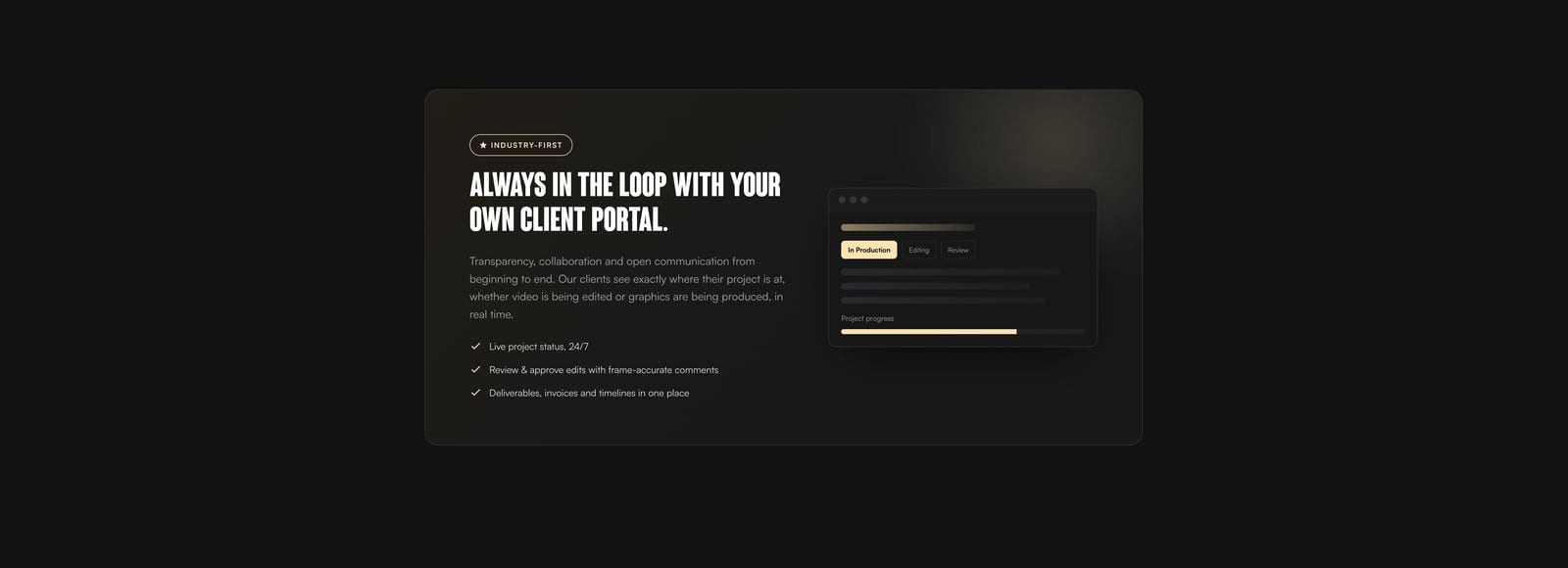
Every cut we upload for review in the Jungle Creative client portal is automatically transcribed, and both the SRT and VTT files sit right next to the player, ready to download in one click – no conversion, no asking, no waiting on a producer to dig up a file from an old project folder. It's a small feature, but it's the sort of detail that saves real time once a project has more than one deliverable in flight.
If you're briefing in a video project and want a production partner who thinks about details like this – not just the finished film, but everything that makes it usable once it leaves the edit suite – get in touch about your next project and we'll talk through what you need.
Quick answers
Can I convert an SRT file to VTT?
Yes – the two formats are close enough that conversion is trivial (change the timestamp commas to full stops and add a WEBVTT header line at the top). Most video editors, and plenty of free online tools, will do it in seconds. It's still simpler to just get both files from your production team in the first place.
Do I need both files for every video?
Not strictly, but it's good practice. If you only keep one, SRT is the more universally accepted format across platforms and software – but VTT is what you'll need the moment that video goes on your own website.
Will captions hurt my video's look?
No – SRT and VTT files are separate from the video itself. They're an optional overlay a viewer or platform can switch on, not baked into the picture, so the original footage is untouched either way.